Split a Large PDF for Email

Gmail and Outlook reject attachments over 25MB, and many corporate inboxes cap them lower. When a PDF is too big to send, splitting it into smaller parts is the simplest fix — each part emails cleanly, and the recipient can open them in order. PdfXpo splits a large PDF into manageable pieces free, in seconds, with no upload.
Because the split runs in your browser, the document never leaves your device — useful when the file is confidential. It is free, unlimited, and watermark-free, and your original is untouched. If you would rather keep it as one file, you can compress it instead — but when a hard size cap blocks you, splitting always works.
100% Local Privacy
Your files never leave your computer
Local Browser Power
Instant Processing in Browser
Secure Client-Side Processing
Data is handled entirely within your browser for maximum security
How to Split a Large PDF for Email — Step by Step
1. Open the free Split PDF tool at PdfXpo.com — no account, no install. Drag your PDF in; it loads in your browser, so your file is never uploaded to a server.
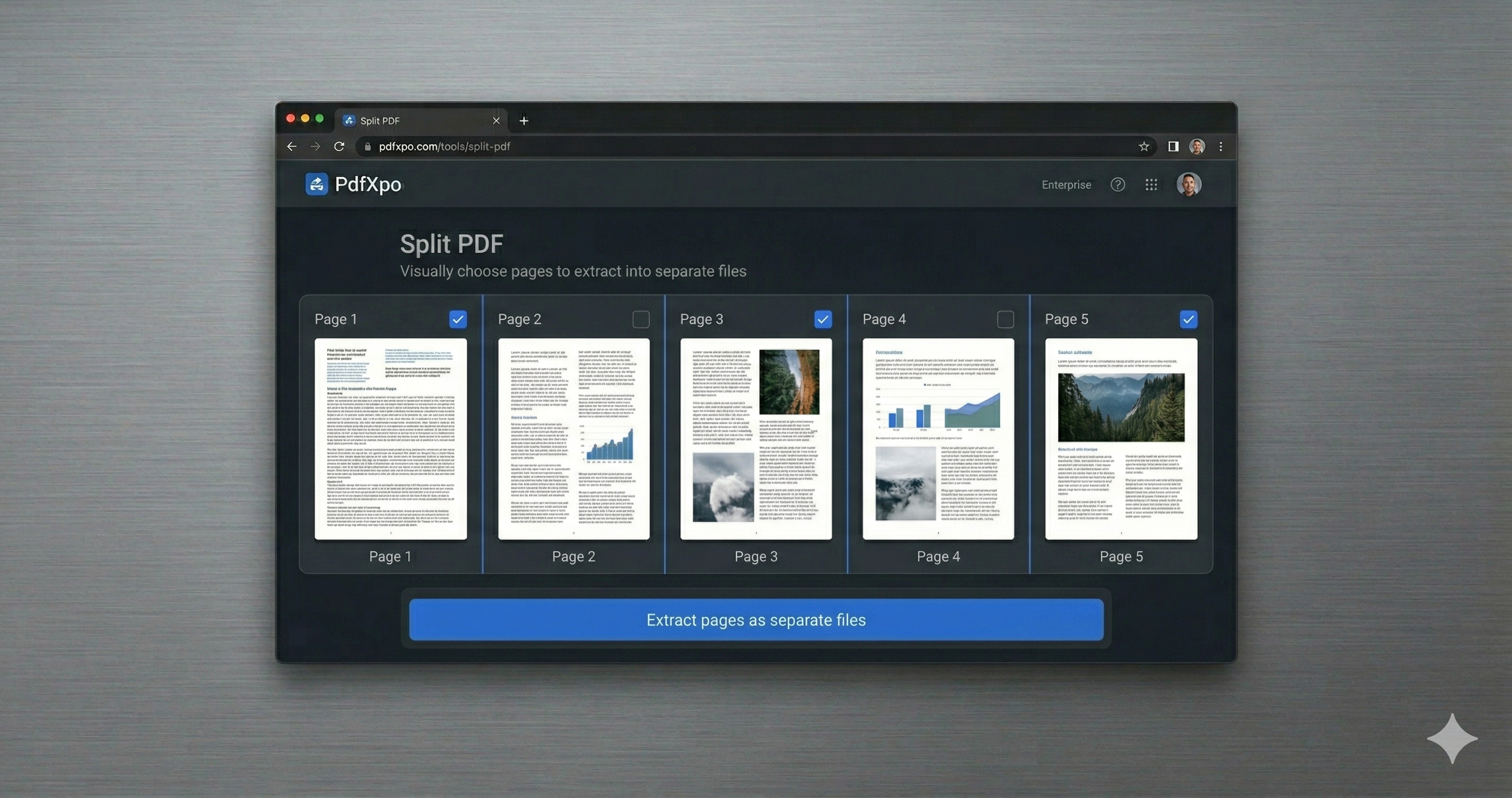
2. Choose how to split: pull out specific pages, split into separate files, or break the document at a page range. Preview the pages and select exactly what you need.
3. Click Split and download your new PDF (or files) instantly — no watermark, no daily limit, and your original stays untouched on your device.
Why PdfXpo for Splitting PDFs
PdfXpo gets a too-big PDF into your sent folder: split it into email-sized parts free, keep everything local (no upload), and add no watermark. Fast, private, and your original stays intact.
Common Questions
Why split instead of compress for email?
Compression helps, but if a file is huge or near a hard cap, splitting guarantees each part fits. You can also do both — compress, then split if still needed.
Is my PDF uploaded when I split it?
No. The split runs in your browser; your file never leaves your device.
Will the recipient be able to reassemble it?
They can open each part in order, or use a free Merge tool to recombine them if they prefer one file.
Is it free?
Yes — free, unlimited, no account, and no watermark.