Convert Scan PDF to Word Editable Free — High Accuracy OCR
Stuck with a scanned PDF that you can't edit? Most converters just give you a Word file full of unselectable images. PdfXpo uses advanced Optical Character Recognition (OCR) to turn your scans into real, editable text. Unlock your documents today and start editing immediately.
How to Make Your Scanned PDF Editable
Upload your scanned document or image-only PDF.
Our OCR engine performs deep-pixel analysis to detect characters.
We reconstruct the logical flow of sentences and paragraphs.
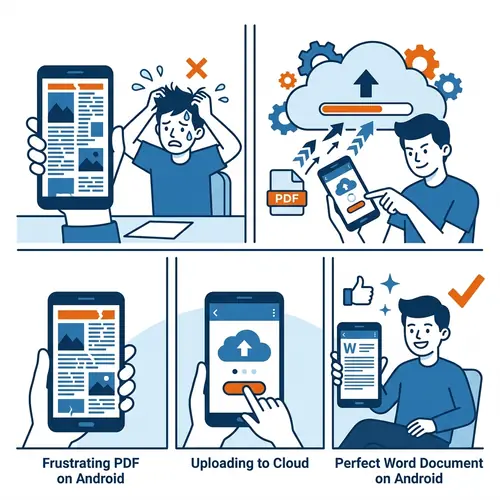
Text is converted into native Microsoft Word fonts and styles.
Download your fully editable .docx file—ready for changes.
The Ultimate OCR Experience
| Feature | PdfXpo | iLovePDF | Smallpdf |
|---|---|---|---|
| Always Free | YES | Limited | Limited |
| No Signup Ever | YES | Required | Required |
| Files Stay Private | In-browser | Cloud upload | Cloud upload |
| No Watermarks | Never | Free tier | Free tier |
| Works on Mobile | YES | YES | YES |
Scanned documents are notoriously difficult to convert because they lack underlying text data. PdfXpo solves this by 'reading' the image just like a human would, but with the speed of a supercomputer. Our tool handles tilted scans, low-quality images, and even multi-column layouts, ensuring your Word output is as clean as a freshly typed document.
Frequently Asked Questions
Q: Can I edit the text after conversion?
A: Yes! That is the primary goal. The output is a standard Word file where you can change text, fonts, and images.
Q: Does it work with low-quality scans?
A: Our engine is optimized for various resolutions, though the clearer the scan, the better the final accuracy.
Q: Is there a page limit for scanning?
A: No. You can convert long scanned reports or books without any page limits on PdfXpo.
Q: Is my document data private?
A: Absolutely. The OCR process happens within your browser; your sensitive documents are never uploaded to our servers.
Explore More Pro-Tools
Stop retyping. Start editing.
Make your scanned PDFs editable in seconds.
Convert Scanned PDF Now