OCR PDF to Word Converter Free Online — Unlimited No Signup
Do you have a scanned document that you can't edit? Don't re-type it. PdfXpo's OCR engine recognizes text in over 50 languages and converts your image-based PDF into a dynamic, searchable, and editable Microsoft Word document.
How to Convert Scanned PDF to Word with OCR for Free
Visit PdfXpo.com and select the 'OCR to Word' tool.
Upload your scanned PDF, image, or photo of a document.
Our AI-powered OCR engine automatically detects text characters and layouts.
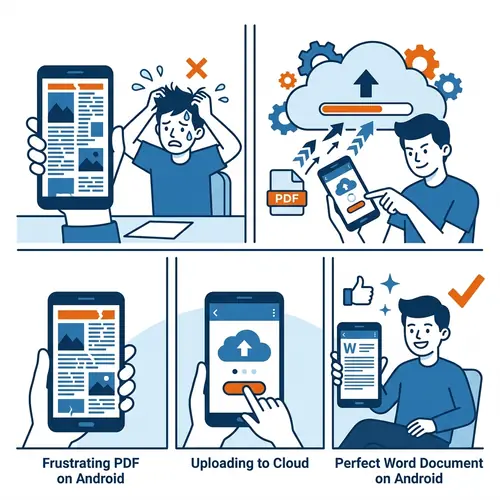
Wait 5-10 seconds for the high-precision character recognition to complete.
Download your fully editable Word file and start typing immediately.
High-Fidelity OCR That Runs in Your Browser
| Feature | PdfXpo | iLovePDF | Smallpdf |
|---|---|---|---|
| Always Free | YES | Limited | Limited |
| No Signup Ever | YES | Required | Required |
| Files Stay Private | In-browser | Cloud upload | Cloud upload |
| No Watermarks | Never | Free tier | Free tier |
| Works on Mobile | YES | YES | YES |
Unlike other OCR tools that send your documents to a cloud server, PdfXpo runs the entire recognition process inside your browser using WASM. This means your sensitive scans never leave your device. It's faster, more secure, and 100% free.
Frequently Asked Questions
Q: Can it recognize handwriting?
A: Our OCR is highly optimized for printed text from scanners and cameras. While it can recognize some clear block handwriting, it is best for printed documents.
Q: How many languages are supported?
A: We support major global languages including English, Spanish, French, German, Chinese, Japanese, Arabic, and more.
Q: Is there a limit on the number of pages?
A: No. You can convert as many pages as you need. Since the processing happens on your device, we don't have server costs to pass on to you.
Q: Will the layout be preserved?
A: Yes. Our OCR engine tries to place recognized text in its original position to maintain the visual structure of your scanned document.
Explore More Pro-Tools
Turn your scans into editable text now.
Experience the privacy and speed of browser-based OCR.
Convert Scanned PDF Now