How to Automatically Redact PII from PDF for HIPAA & GDPR Compliance (2026)
Sharing documents is a necessity in business, but sharing sensitive data is a liability. Whether you are a lawyer sharing evidence, a healthcare provider sending a patient file, or an HR manager distributing payroll information, failing to properly remove Personally Identifiable Information (PII) can lead to audit failures, massive fines, and data breaches.
In 2026, many professionals still make the mistake of "drawing a black box" in a standard PDF viewer. This is not redaction. That text is still searchable and recoverable by anyone who knows how to "select all" or "copy-paste."
This guide will show you how to use the PdfXpo Auto-Redact PII tool to permanently blackout and secure your sensitive data using local AI.
What is PII and Why Redact It?
Personally Identifiable Information (PII) is any data that can be used to identify a specific individual. Common examples include:
Under regulations like HIPAA (Health Insurance Portability and Accountability Act) and GDPR (General Data Protection Regulation), you are legally required to protect this information. If you leak PII, your organization could face fines reaching millions of dollars.
The Problem with Cloud Redaction Tools
Most "Online PDF Redactors" require you to upload your sensitive file to their server.
Think about that for a second. You are uploading a file containing sensitive PII (which you are trying to hide) to an unknown server where it might be logged, cached, or accessed by employees.
This creates a new security risk while trying to solve an old one.
PdfXpo is different. It uses Sovereign PDF technology. The AI models (Xenova/Transformers.js) download securely to your browser once, and then they process your document entirely on your machine. No data ever leaves your laptop. This is the only way to ensure 100% HIPAA and GDPR compliance for web-based tools.
How to Auto-Redact Using AI
Instead of manually searching through a 50-page document for every instance of a name, PdfXpo uses Named Entity Recognition (NER) to do it for you.
1. Upload Your Document
Go to pdfxpo.com/tools/auto-redact-pii. Drag and drop your file.
2. Choose Your Scan Mode
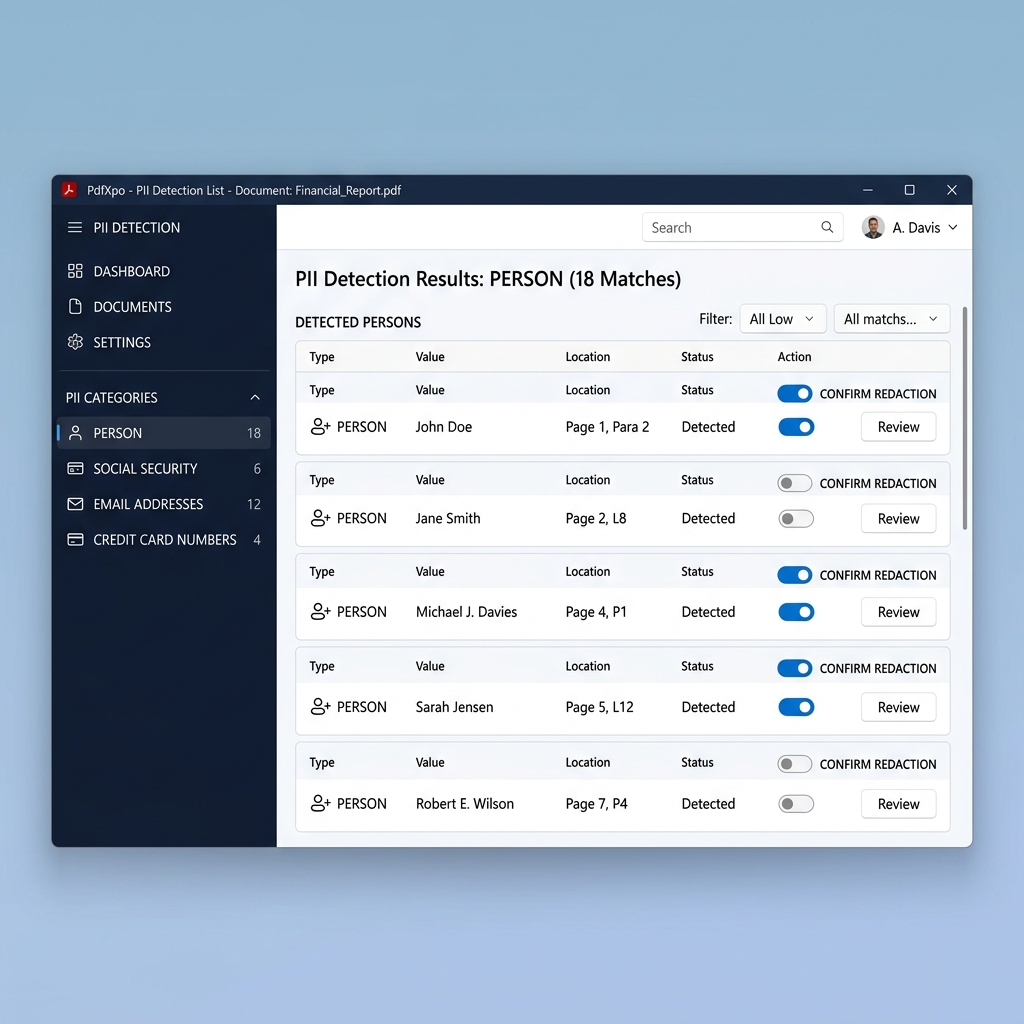
3. Review the Detections
The tool will present a sidebar list of every found piece of PII. You can review each one, toggle them on or off, and see where they are located on the page.
4. Apply Redaction (Blackout)
Once you click "Apply Redaction," the tool doesn't just "paint" a box. It draws a permanent, unrecoverable black rectangle over the area. For an extra layer of security, you can also Protect PDF with a strong password before sharing it with third parties.
Is PDF Redaction Permanent?
This is a critical question. Standard "annotate" tools in many PDF viewers create a "layer" on top of the text. If you send that file, the recipient can simply delete that layer or highlight the text underneath.
PdfXpo's method ensures:
When Should You Use This?
FAQ
Q: How to redact sensitive info from PDF for free?
A: Use PdfXpo's Auto-Redact tool. It is free, unlimited, and uses AI to find PII automatically.
Q: How do I blackout a Social Security Number on a PDF?
A: Upload your file, run a "Quick Scan," and the tool will instantly find all SSNs. Click "Apply Redaction" to blackout them permanently.
Q: Can I redact names from a PDF automatically?
A: Yes. Use the "Deep Scan" mode on PdfXpo. It uses AI models to find person names across the entire document without you having to search for them.
Q: Is it safe to redact documents online?
A: Only if the tool processes everything "Locally" (in your browser). PdfXpo never uploads your files to a server, making it the safest option for redaction. If you need to redact a file that is currently password-locked, use our Unlock PDF tool first to gain access.
---
Conclusion: Privacy is Not a Luxury
In an age of constant data breaches, proper redaction is a fundamental professional requirement. By using AI-powered, browser-local tools like PdfXpo Auto-Redact PII, you can protect your clients, your organization, and yourself from the consequences of data exposure.
Secure your files today: [Go to Auto-Redact PII](https://pdfxpo.com/auto-redact-pii).