PDF to Word Converter High Quality Free
"You converted the PDF, but the result looks like a bad photocopy. The images are pixelated and the text is fuzzy. Here is the high-quality fix."
100% Local Privacy
Your files never leave your computer
Local Browser Power
Instant Processing in Browser
Secure Client-Side Processing
Data is handled entirely within your browser for maximum security
How to Convert PDF to Word in High Quality — Step by Step
Navigate to the PDF to Word tool on PdfXpo.com in any modern browser.
Upload your high-resolution PDF by clicking 'Select PDF'.
Select the 'HD Synthesis' mode to ensure maximum resolution for all embedded images.
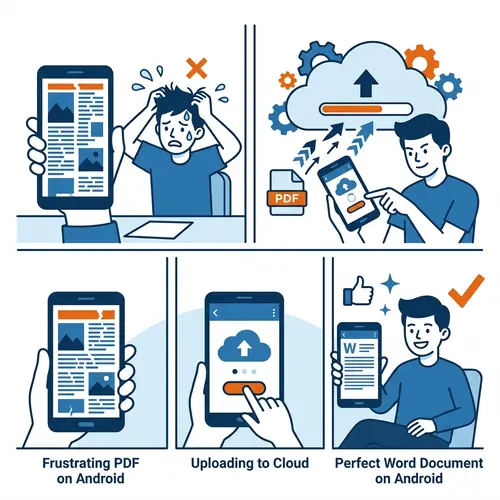
Our local engine will regenerate the document layout using vector path mapping for perfect clarity.
Download your crystal-clear Word file instantly, with no compression artifacts.
Why Choose PdfXpo for HD PDF to Word Conversion?
Most converters prioritize speed over quality, resulting in compressed images and poorly anti-aliased text. In our experience, cloud-based tools often downsample your 300DPI images to 72DPI to save bandwidth. PdfXpo runs entirely in your browser. Since we don't have to upload your large files to a server, we don't need to compress them. You get the same professional quality as a desktop publishing suite, for free.
Privacy Protocol
Unlike most tools, PdfXpo processes files directly in your browser. Your documents never touch a server. They remain in your device's memory for the duration of the conversion and are wiped when you close the tab.
Safety Signals: No cloud upload. No account required. TLS Encryption on site navigation. 100% Free.
| Feature | PdfXpo | iLovePDF | Smallpdf |
|---|---|---|---|
| Always Free | YES | Limited | Limited |
| No Signup Ever | YES | Required | Required |
| Files Stay Private | In-browser | Cloud upload | Cloud upload |
| No Watermarks | Never | Free tier | Free tier |
| Works on Mobile | YES | YES | YES |

Frequently Asked Questions about HD Conversion
Q: Will my images lose resolution during conversion?
A: No. Our HD Synthesis engine preserves the original PPI of all images and uses vector mapping for text, ensuring no quality loss in 2026.
Q: Is it safe to convert high-res private documents?
A: Yes. All processing happens locally on your machine via WebAssembly. Your high-res originals never leave your device.
Q: Is there a limit to how many high-quality files I can convert?
A: No. PdfXpo is unlimited. You can convert as many high-res PDFs as you need without a queue or account.
Q: Which devices support high-quality conversion?
A: Any device with a modern browser like Chrome 122 or Safari 17. This includes Windows 11, Mac OS, and even high-end Android tablets.
Ready for a professional-grade Word document?
Don't settle for blurry results. Try the highest quality PDF to Word converter at PdfXpo.com today.