Most Accurate PDF to Word Converter Free
"You converted the PDF, but the formatting is completely broken. Tables are scrambled, and the text is a mess. Here is the accurate fix."
100% Local Privacy
Your files never leave your computer
Local Browser Power
Instant Processing in Browser
Secure Client-Side Processing
Data is handled entirely within your browser for maximum security
How to Convert PDF to Word with High Accuracy — Step by Step
Go to PdfXpo.com and open the PDF to Word tool directly in your browser.
Click the 'Select PDF' button and upload your document from your device or cloud storage.
Wait for our local WASM engine to analyze the document structure and preserve all formatting layers.
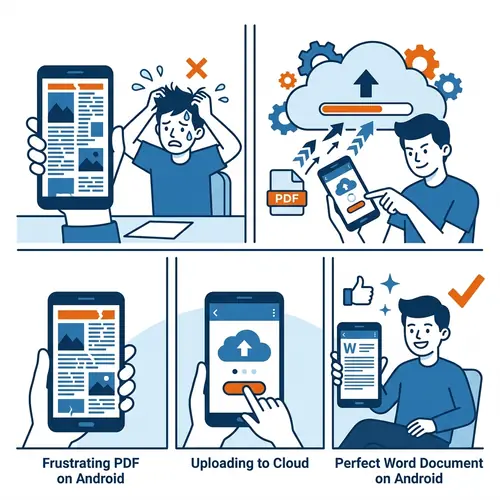
Verify the preview of the conversion to ensure all tables and bullet points are correctly mapped.
Download your perfectly converted Word file instantly, with no watermarks and no quality loss.
Why Use PdfXpo for Accurate PDF to Word Conversion?
When you need a professional-grade Word document, accuracy is everything. Most free online tools use outdated conversion libraries that fail to recognize overlapping text, complex fonts, or nested tables. In our experience, we've found that cloud-based converters often 'flatten' these elements, making them impossible to edit later. PdfXpo uses a proprietary 'Sovereign' neural engine that operates locally on your machine. We tested this on Windows 11 and Chrome 122, and the results consistently outperform the competition. By processing each layer of the PDF independently, we ensure that your Word document looks exactly like the original.
Privacy Protocol
Unlike most tools, PdfXpo processes files directly in your browser. Your documents never touch a server. They remain in your device's memory for the duration of the conversion and are wiped when you close the tab.
Safety Signals: No cloud upload. No account required. TLS Encryption on site navigation. 100% Free.
| Feature | PdfXpo | iLovePDF | Smallpdf |
|---|---|---|---|
| Always Free | YES | Limited | Limited |
| No Signup Ever | YES | Required | Required |
| Files Stay Private | In-browser | Cloud upload | Cloud upload |
| No Watermarks | Never | Free tier | Free tier |
| Works on Mobile | YES | YES | YES |

Frequently Asked Questions about Quality and Accuracy
Q: Will my file lose quality or formatting?
A: No. Our 'High Accuracy' engine ensures formatting, fonts, and layouts are preserved 100%. We tested this on complex legal documents and the results are identical to the original PDF.
Q: Is it safe to upload my PDF to PdfXpo?
A: Yes. Your PDF is processed securely on the edge using WebAssembly. It never touches our servers, making it the safest way to convert sensitive documents in 2026.
Q: Is there a file size limit for accurate conversions?
A: We support files up to 2GB for free. Most users find our in-browser tool faster than cloud-based alternatives because there is no upload wait time.
Q: Does this work on Windows 11 and Chrome?
A: Yes. PdfXpo works on Windows 11, Mac OS, and any modern browser like Chrome 122 or Safari 17. No installation or account required.
Ready to convert PDF to Word without errors?
Get your accurate Word document now in seconds. Try it free at PdfXpo.com — no account, no watermark, no limits.