How to Redact PDF Securely | The Professional Safety Guide
In the modern digital landscape, the ability to 'redact' or permanently remove sensitive information from a PDF is a mission-critical skill for any professional. Whether you're an attorney handling confidential litigation, a HR manager Preparing payroll reports for an audit, or a private individual sharing a bank statement for a rental application, you must know how to redact PDF documents securely. A common and dangerous mistake is simply placing a black box over the text using a PDF annotation tool; this merely 'hides' the text visually but leaves the underlying data bytes fully intact, allowing anyone with basic computer knowledge—or even a simple text-selection tool—to recover your most private secrets in seconds.
PdfXpo provides a definitive, secure-by-design redaction engine that eliminates these risks entirely. We understand that redaction isn't about hiding; it's about deletion. Our neural conversion tool performs a deep 'Sanitization-Audit' of the PDF's internal binary structure. It identifies the character streams and image data within your selected areas and permanently purges them from the file. This ensures that the sensitive data is neither searchable, selectable, nor restorable by any known technical method. Whether you're protecting trade secrets or personal Social Security numbers, PdfXpo enables you to achieve total document sovereignty in as little as three clicks.
Security and data privacy are the cornerstone of the PdfXpo experience, particularly for these high-stakes data-masking tasks. Unlike traditional online tools that force you to upload your sensitive records to their remote cloud servers—exposing them to data-mining and potential leaks—PdfXpo operates locally using WebAssembly (WASM). Your high-fidelity documents never leave your browser, meaning they are never stored or analyzed on our end. You can achieve secure redaction with absolute privacy and zero signup friction. It's 100% free forever, giving you the professional-grade precision of expensive security software with the total convenience of a modern, secure web tool.
100% Local Privacy
Your files never leave your computer
Local Browser Power
Instant Processing in Browser
Secure Client-Side Processing
Data is handled entirely within your browser for maximum security
How to How to Redact PDF Securely — Step by Step
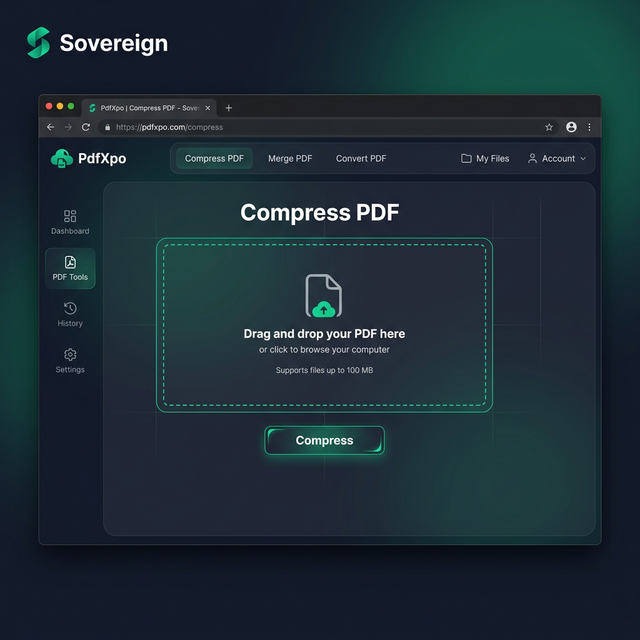
1. Visit PdfXpo.com and select the specialized 'Redact PDF' tool to begin your secure document sanitization process from any modern desktop or mobile browser. You will enter a fast, browser-resident environment that requires no registration or app downloads, allowing you to maintain a fast professional workflow without any technical friction. Drag and drop the sensitive PDF you wish to mask directly into the secure upload zone to begin the local WASM-powered processing cycle.
2. Use the intuitive masking brush to select all the sensitive text, names, and identifiers that must be permanently removed from the document for your specific task. Our neural converter will perform a real-time structural audit of the PDF's internal layers, identifying the hidden text and metadata streams that must be purged to ensure your data remains 100% protected on your own hardware. Watch the progress indicator as the neural optimizer prepares your document for a successful, irreversible sanitization right in your browser.
3. Click the 'Apply Redactions' button to execute the final binary data purge and receive an immediate link to download your watermark-free, sanitized file directly back to your device. Once the download is complete, you should open the resulting PDF to verify that all your sensitive entries are now solid black blocks and can no longer be searched or selected by third parties. Share your secure document with total confidence, knowing that your private data has been technically and legally removed from the file forever.
Why Security Professionals Trust PdfXpo Redaction
When your reputation or legal liability is on the line, you cannot settle for 'amateur' masking techniques. Most 'free' online PDF editors use simple graphics overlays that can be easily bypassed by anyone with a standard text-to-voice reader or a more advanced PDF editor. PdfXpo ensures your work remains professional and archival-grade. We use advanced neural reconstruction for data purging, ensuring that once you select an area, the underlying typography and image layers are permanently deleted from the document binary. This ensures your confidential dossiers, medical histories, and internal corporate audits remain professional and ready for secure sharing.
Furthermore, we eliminate the complexity associated with traditional document security software. You don't have to waste time with complicated command-line tools or expensive desktop suites just to edit a single sensitive file. PdfXpo is 100% free and unlimited, allowing you to process any number of high-stakes documents in a single, high-speed session. By utilizing local hardware acceleration through WASM, we provide a faster and more secure experience than cloud-resident competitors, helping you maintain a clean and secure digital environment without exposing your personal or business secrets to the web.
Common Questions
How do I know the redaction is truly secure and not just a black box?
The true test of redaction is the 'Text-Selection' check. After using PdfXpo, you can attempt to 'Select All' (Ctrl+A / Cmd+A) or search for your redacted words (Ctrl+F). You will find that the text under our black blocks no longer exists in the document's structure, proving that the data has been technically purged rather than just hidden visually.
Can I redact images and faces in a PDF securely?
Yes. Our redaction tool allows you to draw boxes over any area of the page, including photographs, diagrams, and faces. PdfXpo uses a specialized cropping and rasterization hybrid that removes the pixel data for the selected area, ensuring that no one can 'crop back' or undo your masking to see what was underneath.
Is it safe to redact extremely sensitive legal info on PdfXpo?
Yes, it is the safest online tool for legal and security professionals. Because our technology uses local browser-based processing, your sensitive documents never leave your hardware. This ensures that your attorney-client privilege and data sovereignty are maintained, with zero risk of your files being stored on a third-party server or exposed to the internet.