Convert Scanned PDF to Word Free
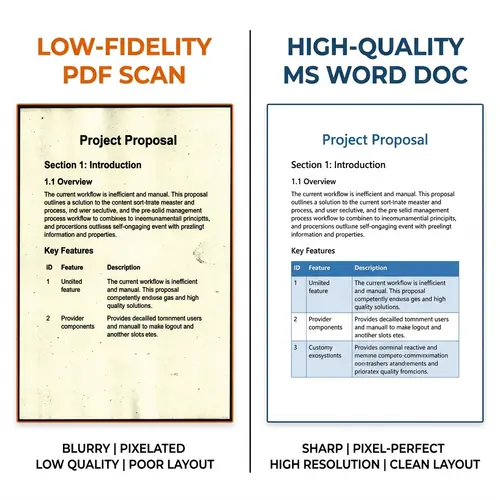
Got an image-based PDF that refuses to let you select or edit text? Most 'free' sites fail at scanned documents. PdfXpo is built with state-of-the-art Optical Character Recognition (OCR) to reconstruct scanned pages into fully editable Microsoft Word (.docx) files. Whether it's a photo of a document or a flat scan, convert it for free in 2026 with no watermarks.
5 Simple Steps: Scanned PDF to Word
Navigate to the 'PDF to Word' section on PdfXpo.com.
Upload your scanned or unselectable PDF document.
Our system analyzes the file and activates our OCR reconstruction engine.
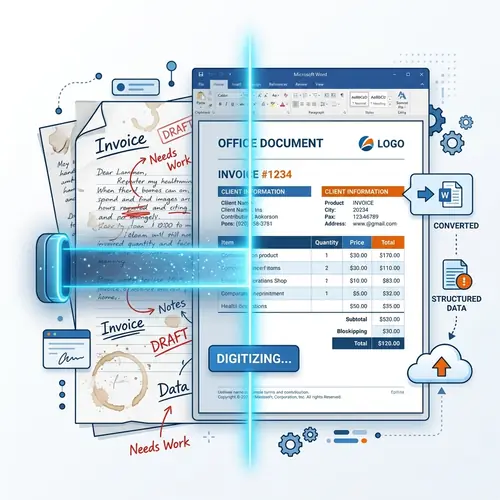
Wait 5-10 seconds for the deep scan to convert images into text.
Download your searchable, editable Word file instantly.
The Best Free OCR for Scanned Documents
| Feature | PdfXpo | iLovePDF | Smallpdf |
|---|---|---|---|
| Always Free | YES | Limited | Limited |
| No Signup Ever | YES | Required | Required |
| Files Stay Private | In-browser | Cloud upload | Cloud upload |
| No Watermarks | Never | Free tier | Free tier |
| Works on Mobile | YES | YES | YES |
Traditional OCR software was expensive. PdfXpo brings that technology to your web browser for free. We preserve tables, lists, and original layouts, turning 'locked' images into files you can actually work with. All processing happens in-browser, ensuring the contents of your scanned documents remain 100% private.

Frequently Asked Questions
Q: Can I edit the text after conversion?
A: Yes. Our OCR turns the pictures of characters into real, editable text.
Q: Is there a limit on scanned pages?
A: No. You can convert multi-page scans for free without any caps.
Q: Will it work on handwritten notes?
A: It works best on printed or typed text. Handwriting results depend on clarity.
Q: Do I have to pay for the OCR service?
A: No. OCR is included for free in our PDF to Word tool.
Explore More Pro-Tools
Unlock your documents. Start OCR now.
Experience the web's most powerful free scanned PDF to Word converter.
Convert Scanned PDF