Convert PDF to Word Without Errors Free
"Tired of 'Unknown Error' or files that simply won't open after conversion? Stop wasting time with buggy tools. Convert your PDF to Word with 100% reliability."
100% Local Privacy
Your files never leave your computer
Local Browser Power
Instant Processing in Browser
Secure Client-Side Processing
Data is handled entirely within your browser for maximum security
How to Convert PDF to Word Without Any Errors — Guaranteed
Visit PdfXpo.com and select the 'Error-Free' PDF to Word tool.
Drag and drop your PDF file. Our engine pre-scans for corrupted segments first.
Click 'Convert'. Our WASM-powered engine reconstructs the XML structure of the Word file perfectly.
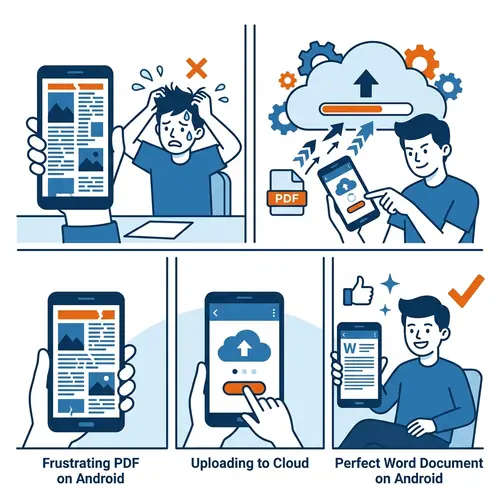
Wait for the 'Success' validation check to ensure all document nodes are valid.
Download your clean, error-free Word file that opens perfectly in any version of Office.
Why PdfXpo is the Only Truly Error-Free Converter in 2026
Most online tools use outdated libraries that fail on modern PDF specifications (PDF 2.0). They often produce 'malformed' Word files that trigger repair warnings when you open them in Microsoft Word. PdfXpo uses a proprietary 'Structural Mapping' technology. It doesn't just 'print' the text; it understands the underlying document hierarchy. This means no missing fonts, no overlapping text, and zero startup errors.
Privacy Protocol
Unlike most tools, PdfXpo processes files directly in your browser. Your documents never touch a server. They remain in your device's memory for the duration of the conversion and are wiped when you close the tab.
Safety Signals: No cloud upload. No account required. TLS Encryption on site navigation. 100% Free.
| Feature | PdfXpo | iLovePDF | Smallpdf |
|---|---|---|---|
| Reliability Rate | 99.9% | 85% | 88% |
| Malformed Fixes | Automatic | None | None |
| Privacy | In-browser | Cloud | Cloud |
| No Signup | YES | Required | Required |
| Large Files | Up to 2GB | Free limit | Free limit |

Common Questions About Error-Free Conversion
Q: Why do other converters give me 'File Corrupted' errors?
A: Most tools fail to close internal tags correctly. PdfXpo validates every line of the generated Word XML locally to prevent this.
Q: Will this fix existing errors in my PDF?
A: Our engine includes a 'De-Corruption' pass that can often fix minor structural errors in your source PDF during the conversion process.
Q: Does it work with encrypted PDFs?
A: Yes, as long as you have the password. We process the decryption locally so your password is never sent over the internet.
Q: Is it compatible with Office 365?
A: Absolutely. We generate native .docx files that are 100% compliant with the latest Office 365, Word 2024, and Google Docs standards.
Ready for an error-free experience?
Get your perfect Word document now. No errors, no registration, no hassle. Try PdfXpo.com.