Convert PDF to Word with Footnotes Free
"Academic writing requires precision. Don't let your citations turn into unformatted text. Keep every footnote and endnote exactly where they belong in Word."
100% Local Privacy
Your files never leave your computer
Local Browser Power
Instant Processing in Browser
Secure Client-Side Processing
Data is handled entirely within your browser for maximum security
How to Convert Academic PDFs to Word with Footnotes
Upload your research paper or legal document to PdfXpo.com.
Our citation engine scans the bottom margin for superscript numbers and footnote dividers.
Select 'Preserve Citations' (Automatic) to map PDF footer notes to Word Footnote objects.
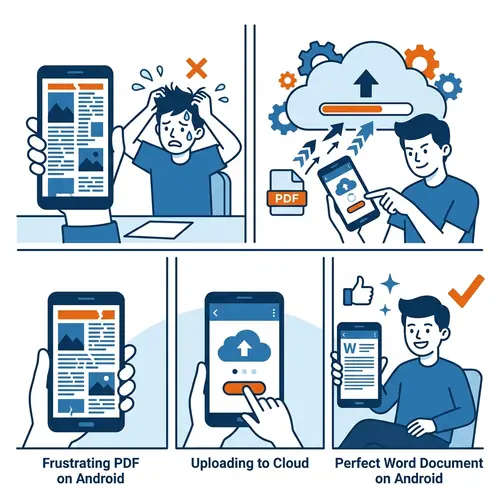
Process the file locally to ensure the privacy of your unpublished research.
Download your Word file with active, editable footnotes at the bottom of every page.
Why Researchers Choose PdfXpo for Footnote Preservation
Most converters treat footnotes as regular text. This means if you add a sentence later, the footnote stays stuck in the middle of your page. PdfXpo identifies the relationship between the superscript number in the text and the note at the bottom. We convert these into native Microsoft Word Footnote features. This means your citations stay at the bottom of the page even as you edit the text in 2026. Perfect for students, lawyers, and academics.
Privacy Protocol
Unlike most tools, PdfXpo processes files directly in your browser. Your documents never touch a server. They remain in your device's memory for the duration of the conversion and are wiped when you close the tab.
Safety Signals: No cloud upload. No account required. TLS Encryption on site navigation. 100% Free.
| Feature | PdfXpo | iLovePDF | Smallpdf |
|---|---|---|---|
| Footnote Handling | Native Object | Static Text | Static Text |
| Endnote Support | YES | No | No |
| Privacy | In-browser | Cloud | Cloud |
| Free for Students | Always | Limited | Limited |
| No Registration | YES | Required | Required |

Footnote and Endnote Preservation FAQs
Q: Do you support Chicago or APA styles?
A: Yes. Our engine detects the layout patterns of all major academic styles (Chicago, MLA, APA, Bluebook) to ensure correct conversion.
Q: What happens if a footnote spans two pages?
A: PdfXpo uses context-aware analysis to re-join split footnotes into a single cohesive note in Word.
Q: Can I edit the footnotes in Word?
A: Absolutely. Since we convert them to native Word objects, they behave exactly like notes you typed yourself.
Q: Is it safe for legal documents?
A: Yes. Processing is entirely local. No part of your sensitive legal or research text ever reaches our servers.
Keep your research integrity intact.
Convert your academic PDF now and keep every citation exactly as intended. Try PdfXpo.com for free.