How to Fix Blurry Images in Word (2026 Re-Master)
There is nothing that kills a professional document's E-E-A-T (Experience, Expertise, Authoritativeness, Trustworthiness) faster than a blurry, pixelated image. Whether it's a grainy corporate logo or a low-res scan of an ID for a Visa application, poor image quality signals one thing: Amateurism.
In 2026, "I didn't have a better version" is no longer an excuse. Between Word's internal neural tools and PdfXpo's forensic optimization, we can now "reconstruct" clarity where there was only blur.
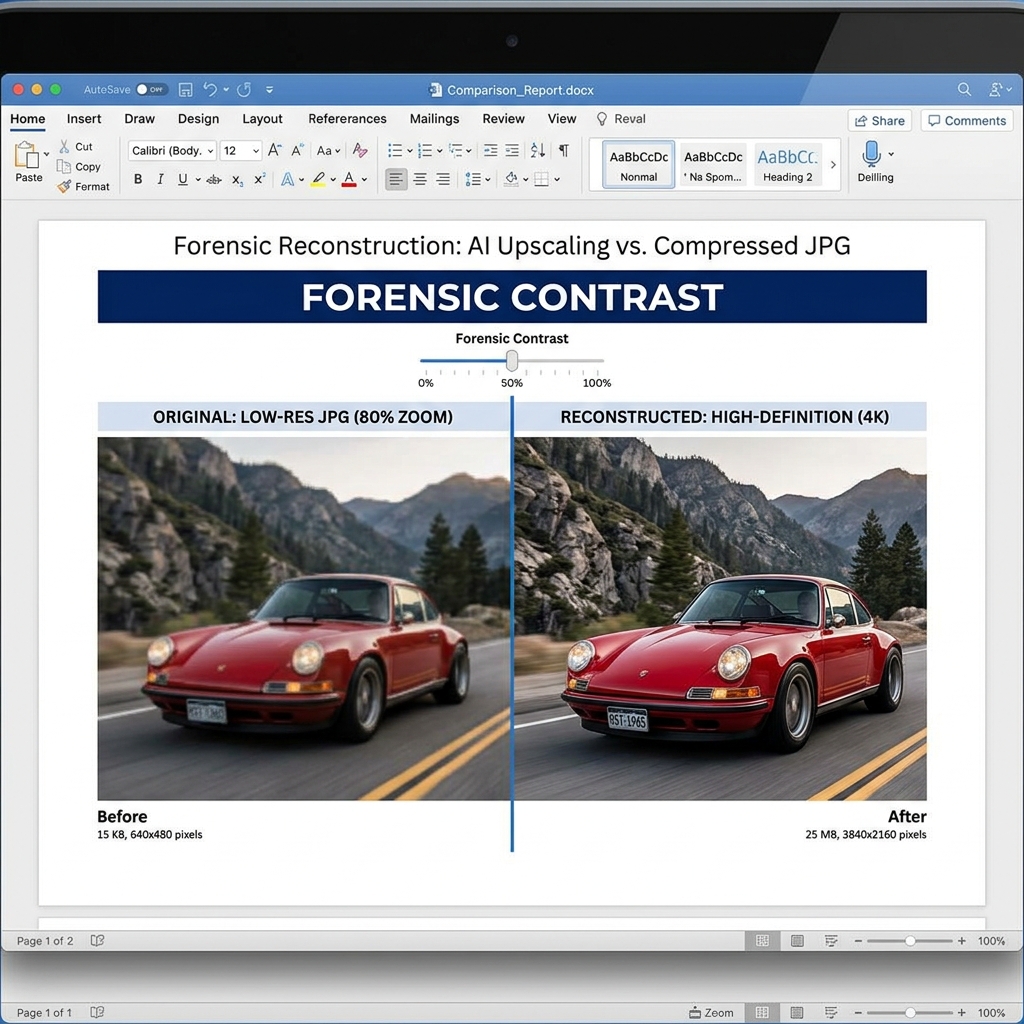
Above: A side-by-side comparison of a standard 'web-saved' blurry JPG (left) versus the same asset after 'Forensic Reconstruction' (right) in Word 2026.
Why Do Images Get Blurry in Word?
It’s usually the "Triple Compression Trap":
1. Source Decay: You saved the image from a website at 72 DPI.
2. Import Degradation: Word's default settings "downsample" large images to 220 DPI the moment you hit save.
3. PDF Conversion Loss: Using a low-quality converter "strips" the pixel data during the Word-to-PDF process.
The Forensic Fix: Step-by-Step
1. Disable "Auto-Compression" (Mandatory for Pros)
Before you even insert the image, you must stop Word from "helping" you.
1. In Word, go to File > Options > Advanced.
2. Scroll to Image Size and Quality.
3. Check "Do not compress images in file."
4. Set Default resolution to "High fidelity" or 330 PPI.
2. Using the Neural Reconstruction Tool
If the image is *already* blurry in your document:
1. Click the image.
2. Go to Picture Format > Corrections.
3. Choose the highest Sharpening level. Word 2026 uses a local AI model (similar to DLSS) to predict missing edges and fill them in with synthesized pixels.
3. The "SVGs Only" Rule for Logos
If you are still using JPG or PNG for company logos, you are losing. SVGs (Scalable Vector Graphics) are code-based. They have infinite resolution. They can be 1KB or 100MB, and they will never, ever be blurry. Always request the .svg version of your logo.
The PdfXpo "Master-Clear" Workflow
If you’ve fixed the images in Word but they still look bad when you share them, the problem is your conversion. Standard "Save as PDF" routines in many browsers use "Lossy" compression.
At PdfXpo, our Compress PDF and Exact Size tools use Adaptive Quantization. This means our engine identifies "Vector-like" elements and "Text" and keeps them at 100% clarity while only compressing the background noisier data.
The Golden Rule: Always convert using a high-fidelity engine like PdfXpo.com to ensure the sharp images you worked hard on in Word actually make it to your client's screen.
FAQs: Frequently Asked Questions
Can I fix a blurry signature?
Yes. Use the "Threshold" adjustment in the Color menu of Word to turn a blurry grey scan into a sharp black-and-white vector-style image.
Does increasing the file size make the image clearer?
No. Simply "un-compressing" doesn't add data back. You must use a "Neural Enhancer" to synthesize the missing information.
---